How do I add a new client?
Save a client’s basic details so you can schedule bookings quickly.
Public guide
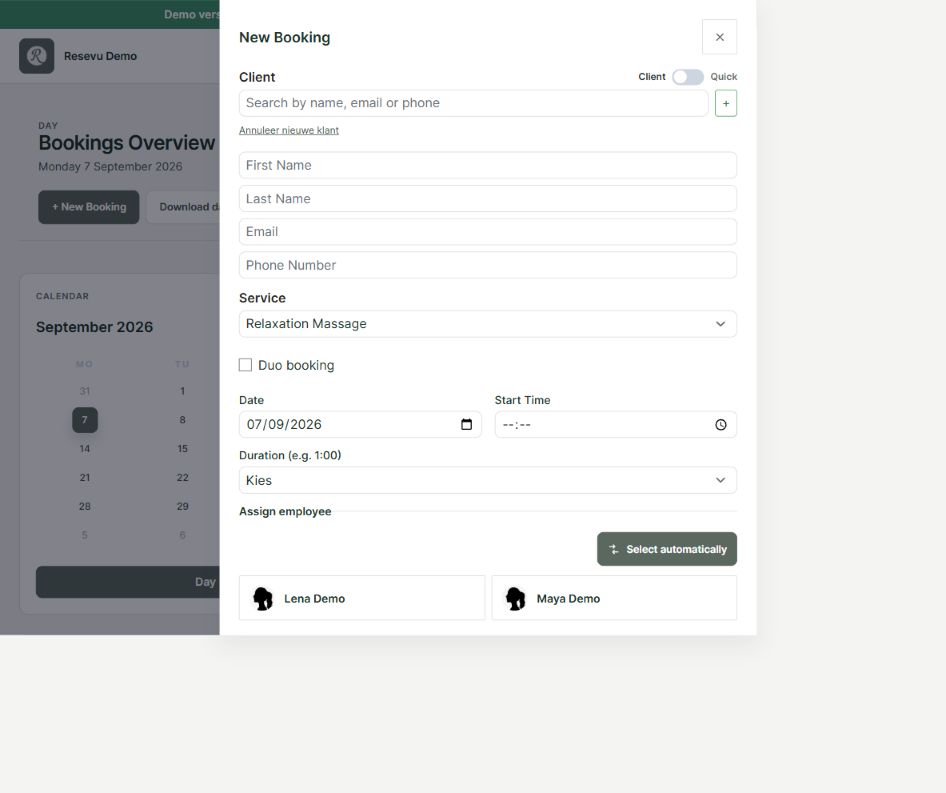
Add a client while booking
Clients are created automatically when they book through the booking widget or API. On later bookings, Resevu detects the existing client when the same phone number or email address is used.
- Open Bookings and choose New Booking.
- Choose the + beside the client search field.
- Enter the first name, last name, email address and optional phone number.
- Complete the remaining booking details.
- Choose Save. The new client is stored together with the booking.
Only store contact details that are needed for the booking. Avoid storing unnecessary sensitive personal data.
After saving, you can find the client under Clients and update the details later.